
Manual
Step 1
Install
Plug the MotorCom into your car's OBD port – That's it!
Good to Know:
- The module activates automatically whenever you start the car.
- You can leave it plugged in permanently as long as you drive your car regularly.
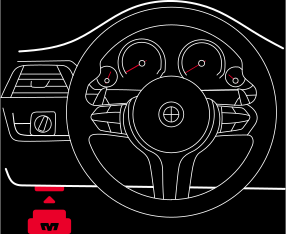
The OBD port is located under the dashboard on the left side of the driver’s footwell.
Step 2
Configure Exhaust Valve Startup Mode
MotorCom automatically applies the configured “Startup Mode” each time the engine is started, opening or closing the exhaust valve or leaving it in stock mode. You can configure it using our app.
-
Download the MotorCom app.
- for iOS: download the App from the Apple App Store.
- for Android: download the App from the Google Play Store.
- Install the MotorCom.
- Turn on your car's ignition — this will make the device visible to the app.
- Open the MotorCom app.
- Tap on Connect.
- Select the exhaust valve mode that should be active every time you start the engine under Startup Mode. Changes are automatically saved on MotorCom.
- Once finished, tap on Disconnect.
Step 3 – Optional
Control
Recommended
Update Firmware
You can update your MotorCom firmware to get the latest features and improvements.
- Download the MotorCom app.
- Install the MotorCom.
- Turn on your car's ignition — this will make the device visible to the app.
- Open the MotorCom app.
- Tap on Connect.
- Tap on Device Information.
- Tap on Update Firmware and follow the instructions.
- Once finished, the MotorCom will automatically disconnect from the app and be ready for use.
Uninstall
Unplug the MotorCom from your car's OBD port – it will leave no trace once removed.


